Basket (0)
Close

Refurbished Intel Xeon: A UK Server CPU Upgrade Guide
- September 29, 2026
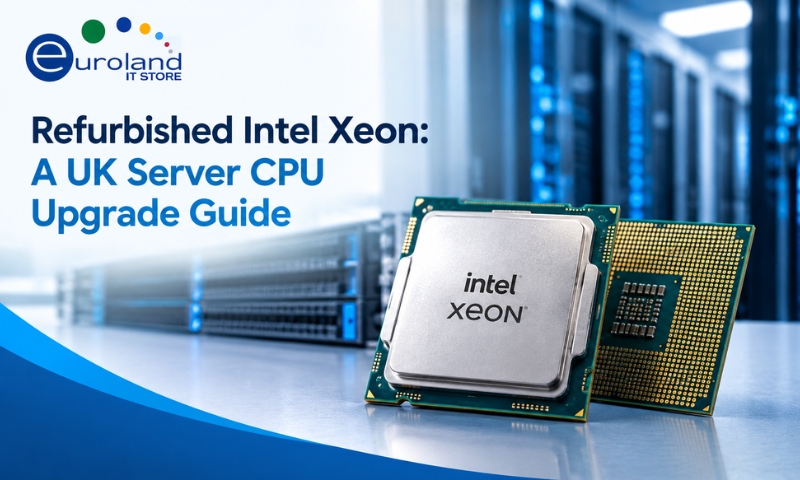
Buying a whole new server is not the only way to get more performance. In 2026, with new hardware costs high and lead times long, a growing number of UK businesses are getting more from the servers they already own by fitting faster processors. A refurbished Intel Xeon upgrade can add real headroom for a fraction of the price of a new machine.
This guide explains how it works. We cover the Xeon range, how to tell whether your server can take a faster chip, why refurbished Xeon is a sensible choice, and how to get the upgrade right. If you have ever looked at a busy server and thought there must be a cheaper option than replacing it, read on.
Why Upgrade Your Server CPU in 2026
The case for a CPU upgrade is stronger this year than it has been for a long time. New servers are expensive and can carry long waits, so squeezing more out of existing hardware is often the smarter move.
A processor upgrade can help you:
- Add processing power for busier workloads and more users.
- Increase core count to run more virtual machines on the same server.
- Extend the useful life of a server you already trust.
- Avoid the cost and disruption of a full replacement.
Intel’s Xeon Scalable processors, which you can read about on Intel’s Xeon product pages, are designed exactly for this kind of server work. Because these chips have been widely deployed for years, plenty of tested, refurbished stock is available at attractive prices. That is what makes the upgrade route so cost-effective.
Understanding Intel Xeon Names
Xeon naming can look baffling, but there is a simple logic once you know the pattern. The Xeon Scalable family is split into performance tiers, each named after a metal.
- Bronze: entry level, for light workloads and basic servers.
- Silver: mid range, a solid balance of cores and value.
- Gold: high performance, more cores and higher clocks, the popular business choice.
- Platinum: top tier, built for the most demanding and dense workloads.
Alongside the tier, a model number tells you more about cores, clock speed and features. Higher numbers generally mean more capability. There are also generations, released over the years, and this matters a great deal for compatibility, which we come to shortly.
If you want to check the exact specification of any given chip, Intel’s ARK database lists the full details for every Xeon model, including cores, clock speeds and the socket it uses.
Xeon Gold, Silver and Bronze Compared
Here is a plain comparison to help you pick the right tier for the job.
| Tier | Best for | Typical strength |
|---|---|---|
| Bronze | Basic file and print, light roles | Low cost, modest performance |
| Silver | General business servers | Good balance of cores and value |
| Gold | Virtualisation, databases, heavy apps | High cores and clocks, popular pick |
| Platinum | Large-scale and demanding workloads | Maximum performance and density |
For most UK businesses running virtualisation or busy line-of-business applications, a Xeon Gold hits the sweet spot of performance and value. Silver suits steadier general workloads, while Bronze covers lighter roles. Browse available options in our range of processor kits and by Intel to match your needs.
Can I Upgrade My Server’s Processor
This is the crucial question, and the honest answer is that it depends on your server. A processor upgrade is very doable, but there are firm rules you must follow. Ignore them and the chip simply will not work.
Here is what has to line up:
- Socket match. The new processor must use the same socket as your server’s motherboard. A chip for a different socket will not fit.
- Same generation family. Your motherboard supports a specific generation of Xeon. You cannot fit a newer-generation chip into an older board, even if it looks similar.
- Supported CPU list. Server makers publish which exact processors each model supports. Always check your chip is on that list.
- Matched pair for dual sockets. In a two-socket server, both processors must be an identical matched pair.
- BIOS or firmware update. A newer chip in the same family may need a firmware update before the server recognises it.
- Cooling for the power rating. A higher-power chip needs a heatsink rated to match, or it will overheat.
None of this is difficult, but it does need care. The safest approach is to tell your supplier your exact server model and current processor, and let them confirm the right upgrade path. That single step avoids almost every upgrade mistake.
Why Refurbished Xeon Makes Sense
Server processors are among the most robust components in any machine. They have no moving parts and are built to run at full load for years, which makes them ideal candidates for refurbishment.
A refurbished Xeon from a proper supplier is:
- Fully tested and confirmed working before sale.
- Far cheaper than the equivalent new chip.
- Backed by a warranty for peace of mind.
- Identical in performance to a new unit of the same model.
Because so many enterprise servers are refreshed on a regular cycle, a steady supply of high-quality used Xeon processors reaches the market in excellent condition. Buying refurbished lets you access serious server performance at a price that makes upgrading, rather than replacing, an easy decision. It is also the greener path, keeping working silicon in service.
How to Read a Xeon Model Number
Once you understand the pattern, a Xeon name tells you a lot at a glance. Take a chip like the Xeon Gold 6248R as an example.
- The tier comes first. Here, Gold tells you it is a high-performance chip.
- The model number follows. As a rough guide, a higher number within a tier means more capability, whether that is cores, cache or clock speed.
- The suffix letters at the end signal a special feature. An R, for instance, marks a refresh model that usually offers better value than the original it replaced. Other letters flag features such as extra memory support.
So a Xeon Gold 6248R reads as a high-performance, refreshed chip with a strong core count, which explains why models like it are popular for virtualisation and busy business servers.
You do not need to memorise every code. The useful habit is to compare like with like. When weighing up two chips, check they share the same socket and generation, then use the tier and model number to judge which offers more performance. If you want the exact figures, look the model up on Intel’s database before you buy.
How to Choose the Right Xeon Upgrade
Follow these steps to get a smooth, successful upgrade.
- Identify your server exactly. Note the make, model and current processor.
- Check the supported CPU list. Confirm which Xeon models your server accepts.
- Decide your target tier. Choose Silver, Gold or Platinum based on your workload.
- Confirm the socket and generation. The chip must match your board precisely.
- Plan for a matched pair if needed. Dual-socket servers require two identical chips.
- Check cooling and firmware. Ensure your heatsink suits the power rating and update the BIOS if required.
- Buy tested, warranted stock. Choose a specialist supplier that tests every processor.
Work through those, or let your supplier confirm them for you, and the upgrade itself is straightforward.
Do Not Forget Memory and Cooling
A processor upgrade is often the perfect moment to address two other things while the server is open.
- Memory. More cores are only useful with enough memory to feed them. If you are boosting the CPU, review whether a matching server memory kit upgrade would help too.
- Cooling. A higher-power chip needs the correct cooling. Make sure you have the right heatsink and fresh thermal paste for a clean, safe fit.
- The wider server. If you are planning ahead, it is worth checking the health of the whole machine. Explore refurbished rack servers if a full unit ever makes more sense than an upgrade.
Handling CPU, memory and cooling together means one job, one bit of downtime, and a server that feels genuinely refreshed.
Final Thoughts
Upgrading your server with a refurbished Intel Xeon is one of the most cost-effective moves in IT right now. It adds real performance, extends the life of hardware you already trust, and sidesteps the high prices and long waits on new servers.
The golden rule is compatibility. Match the socket, the generation and the supported CPU list, plan your cooling, and buy tested stock with a warranty. Get that right, and a modest spend can give an ageing server a genuine second wind.
Thinking about a server CPU upgrade? Explore our range of Intel Xeon processor kits, or contact the Euroland IT Store team with your server model for a confirmed, compatible upgrade recommendation.
Frequently Asked Questions
Q: Can I put any Xeon processor in my server?
A: No. The chip must match your motherboard’s socket and generation, and it must be on your server’s supported CPU list. Always confirm compatibility before buying.
Q: What is the difference between Xeon Gold and Silver?
A: Gold offers more cores and higher clock speeds for demanding workloads like virtualisation and databases. Silver is a mid-range option that balances performance and cost for general business servers.
Q: Is a refurbished Xeon reliable?
A: Yes. Processors have no moving parts and are built to run for years. A tested refurbished Xeon with a warranty performs identically to a new one for far less money.
Q: Do I need two processors for my server?
A: Only if it is a dual-socket server that you want fully populated. In that case both chips must be an identical matched pair. Many servers run perfectly well on a single processor.
Q: Will I need to update anything after fitting a new CPU?
A: Possibly. A newer chip in the same family may need a BIOS or firmware update before the server recognises it. Check your server maker’s guidance or ask your supplier.