Basket (0)
Close

How Do You Find Discontinued or End-of-Life Server and Printer Parts?
- October 29, 2026
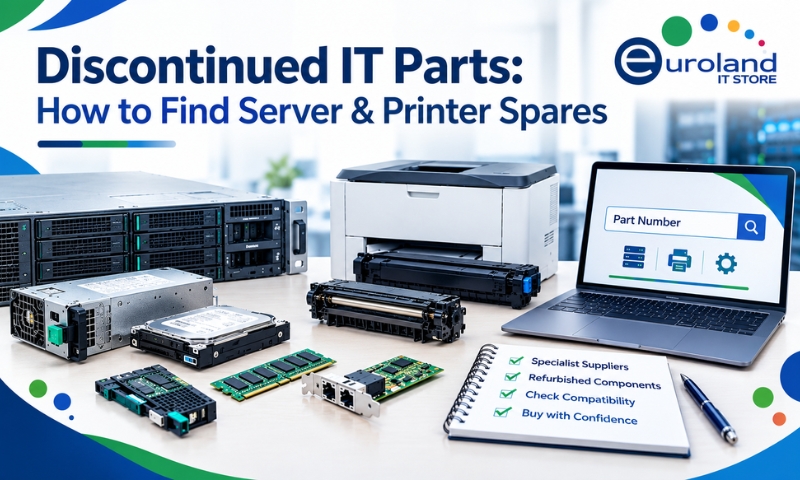
A server power supply fails, but the manufacturer no longer sells the replacement. A business printer needs a new fuser unit, only to discover that the model has been discontinued. These situations can create serious problems for businesses that depend on older IT equipment.
Replacing an entire server or printer because of one faulty component is not always practical. New equipment can be expensive, and upgrading may require additional software changes, installation work and employee training.
Fortunately, discontinued and end-of-life (EOL) parts are not always impossible to find. Many replacement components remain available through specialist IT hardware suppliers, refurbished equipment providers and secondary markets.
The key is knowing where to search, how to identify the correct part and what to check before purchasing.
What Does End-of-Life Mean for IT Hardware?
Manufacturers regularly introduce new server, printer and storage models. As technology develops, older equipment eventually reaches different stages of its product lifecycle.
However, terms such as discontinued, end-of-sale and end-of-support do not always mean the same thing.
Discontinued: The manufacturer has stopped producing or actively selling a particular product or component.
End-of-Sale (EOS): The manufacturer no longer offers the product for new orders through its standard sales channels.
End-of-Support: The manufacturer has ended some or all official technical support, maintenance or software updates for the product.
A server can reach end-of-sale while still receiving technical support. Similarly, a printer may no longer be manufactured even though replacement consumables and spare parts remain available.
This distinction matters because businesses may still be able to maintain older equipment long after the original product has disappeared from the manufacturer’s catalogue.
Why Do Businesses Still Need Discontinued Parts?
Consider a company running an older HPE ProLiant server that supports an important internal application.
The server works reliably, but its power supply suddenly fails. Replacing the entire system could involve migrating data, checking software compatibility and arranging downtime.
Finding a compatible replacement power supply may allow the company to restore operations without making an immediate investment in new infrastructure.
The same situation occurs with office printers.
A printer may still produce excellent results, but a damaged paper tray, worn roller or faulty fuser can prevent it from operating properly.
Businesses often continue using older equipment because it meets their needs, integrates with existing systems and does not require frequent upgrades.
Keeping these devices operational can also reduce unnecessary electronic waste.
Start with the Exact Part Number
One of the most effective ways to locate discontinued IT hardware is to search using the manufacturer’s part number rather than a general product description.
For example, searching for “server power supply” produces thousands of results covering different manufacturers, wattages and models.
Searching for a specific part number gives much more relevant results.
Manufacturers such as HPE, Dell, Lenovo, Canon and HP use product identifiers to distinguish components that may look similar but have different specifications.
Where Can You Find the Part Number?
For server components, check the label on the existing part. Power supplies, hard drives, memory modules, network adapters and storage controllers commonly include manufacturer identifiers.
For printer components, check the cartridge label, printer service manual or replacement part documentation.
You may also find the information in the equipment’s maintenance records or original purchase documents.
When searching, try both the part number and manufacturer name.
For example, searching for “HPE 403781-001 power supply” is more precise than searching for “HPE server PSU”.
You can also review a specific product listing, such as the 403781-001 1000W server power supply, to compare the listed part reference with your existing component.
Always confirm the manufacturer’s spare part number and supported system models before ordering.
Understand the Difference Between Product and Spare Part Numbers
A common problem when sourcing older IT equipment is that the same component may appear under different reference numbers.
For example, enterprise server components can have separate identifiers for the original product, spare part and assembly.
A replacement component may also have a revised part number if the manufacturer has introduced a compatible alternative.
This means searching only one reference number could cause you to miss available stock.
Before assuming a part is unavailable, check whether the manufacturer lists an approved replacement or superseded part number.
However, two components should not be considered interchangeable simply because they look alike.
For servers, compatibility may depend on the generation, firmware, backplane or controller configuration.
For printers, a replacement component may be specific to a particular model or regional version.
Where Can You Buy Discontinued Server Parts?
Finding older server components often requires looking beyond the manufacturer’s official online store.
Specialist IT hardware suppliers can be particularly useful because they may stock components for several generations of enterprise equipment.
These suppliers may offer new old stock, refurbished components or tested replacement parts.
Specialist IT Hardware Suppliers
Companies specialising in enterprise hardware often maintain inventories of components that are no longer widely available through standard distribution channels.
These can include server power supplies, hard drives, RAID controllers, network adapters, memory modules and cooling components.
For businesses maintaining older systems, a supplier that lists products by manufacturer and part number can make the search easier.
The servers and storage section at Euroland IT Store is a useful starting point for exploring enterprise hardware and replacement components.
Refurbished IT Hardware Suppliers
Refurbished hardware suppliers may offer tested components recovered from previously used enterprise systems.
For example, a company upgrading its data centre may retire working servers that contain usable power supplies, network cards and other components.
These parts may enter the refurbished hardware market after inspection and testing.
Refurbished components can be useful when a manufacturer no longer produces new replacements.
Secondary Marketplaces
Online marketplaces may also list discontinued hardware, but buyers should take additional precautions.
Check the seller’s reputation, product condition, return policy and part number carefully.
For business-critical equipment, purchasing from a specialist supplier offering technical support and a clear warranty may be preferable to buying an untested component.
How to Find Discontinued Printer Parts
Printer parts can be more difficult to identify than expected because many models have similar names and use visually similar components.
A printer may require a replacement fuser assembly, paper feed roller, maintenance kit, transfer belt or paper tray.
The first step is to identify the exact printer model and the component that needs replacing.
For example, an HP LaserJet printer may have several model variants, each with different maintenance components.
Using the wrong fuser or maintenance kit can cause installation problems or prevent the printer from operating correctly.
When searching for replacement printer parts, use the full printer model and the component’s part number.|
It is also worth checking the manufacturer’s service documentation to confirm whether a newer replacement part is supported.
Businesses comparing replacement equipment can explore laser printers and multifunction printers when deciding whether repair or replacement is the better option.
New Old Stock vs Refurbished Parts: Which Is Better?
When sourcing discontinued hardware, you may come across two common product conditions: new old stock and refurbished.
New old stock refers to unused components that have remained in storage after their original production or sales period.
These parts may still be in their original packaging, although their age and storage conditions should be checked.
Refurbished components have generally been previously used and then inspected, tested or restored for resale.
| Factor | New Old Stock | Refurbished Parts |
| Previous use | Usually unused | Previously used |
| Availability | Can be limited | Depends on recovered stock |
| Price | May carry a premium | Often more affordable |
| Condition | Unused but potentially aged | Tested or restored, depending on supplier |
| Warranty | Depends on seller and manufacturer terms | Depends on supplier |
| Best use | Buyers seeking unused replacements | Maintaining older IT systems affordably |
Neither option is automatically better. For example, an unused component stored for many years may still require inspection before installation.
For refurbished parts, businesses should ask about testing procedures and warranty coverage.
Five Checks Before Ordering an End-of-Life Component
Finding a replacement part is only half the job. The next step is making sure it will work reliably with your equipment.
- Verify compatibility. Check the exact server or printer model, generation and manufacturer documentation. Do not rely only on a seller’s general compatibility description.
- Confirm the product condition. Ask whether the part is new, new old stock, refurbished or used. These terms should be clearly explained in the product listing.
- Check warranty and returns. A discontinued component may not have an active manufacturer warranty. Confirm what protection the supplier provides if the part arrives faulty.
- Review firmware requirements. Some enterprise server components require compatible firmware or controller versions. Confirm these requirements before installation.
- Ask about UK delivery and availability. If a failed component is causing downtime, confirm actual stock, dispatch times and delivery arrangements before placing an order.
These checks can help businesses avoid ordering incorrect components and reduce the risk of further delays.
When Should You Repair Instead of Replace?
Not every older server or printer is worth repairing.
If a replacement part is affordable, readily available and compatible with the existing system, repairing the equipment may be the most practical choice.
However, businesses should consider replacing equipment when repair costs become excessive, performance no longer meets operational requirements or the system has significant security limitations.
An unsupported server operating system, for example, can create security risks that replacing a hardware component will not resolve.
Similarly, a printer requiring several expensive repairs may no longer be economical to maintain.
The decision should consider the total cost of ownership rather than the price of a single replacement part.
What If You Cannot Find the Exact Part?
If the original component is unavailable, do not immediately assume that the entire system must be replaced.
Check whether the manufacturer has published a compatible replacement or superseded part number.
You can also contact a specialist hardware supplier with the original part number, equipment model and required specifications.
In some cases, a compatible alternative may be available. However, replacement components must meet the equipment’s technical and safety requirements.
Avoid modifying electrical connections, installing unsupported power supplies or using incompatible printer components simply to keep older equipment running.
Conclusion
Finding discontinued or end-of-life server and printer parts does not have to mean replacing your entire IT system.
By identifying the correct part number, checking manufacturer documentation and working with specialist hardware suppliers, businesses can often locate suitable replacement
components for older equipment.
New old stock and refurbished parts can help extend hardware lifecycles, reduce replacement costs and minimise unnecessary electronic waste.
Euroland IT Store supports businesses looking for new and refurbished IT hardware, including server components, storage equipment and printer-related products. With the right replacement parts, organisations can continue maintaining existing infrastructure while planning future upgrades at a suitable time.
Frequently Asked Questions
1.Can you still buy parts for discontinued servers?
Yes. Replacement parts for discontinued servers may remain available through specialist hardware suppliers, refurbished equipment providers and secondary markets. Availability depends on the model and component.
2.Are refurbished server parts reliable?
Refurbished server parts can be a practical option when they have been properly inspected and tested. Buyers should confirm the supplier’s testing procedures, warranty and return policy.
3.How do I identify the correct replacement printer part?
Check the printer’s full model number, existing component label and manufacturer service documentation. Use the exact part number to search for compatible replacements.
4.Is an end-of-life server safe to continue using?
It depends on the server’s condition, operating system, firmware and available security support. A working server may still present risks if critical software or firmware no longer receives security updates.
5.Can a discontinued part have a warranty?
Yes. Some suppliers provide their own warranty on discontinued or refurbished components, even when the original manufacturer’s warranty has expired. Always confirm the terms before purchasing.