Basket (0)
Close

AI Ready Business Laptops in 2026: What UK Firms Should Check
- July 29, 2026
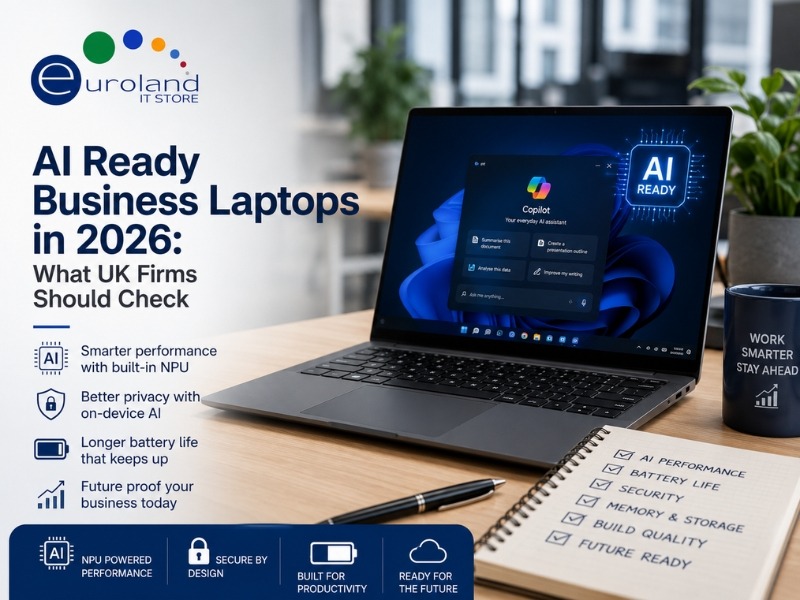
Walk into any laptop conversation this year and the letters AI are everywhere. Every brand now sells an AI PC, and the marketing can make it hard to tell what actually matters. This guide cuts through the noise and explains, in plain terms, what makes a laptop AI ready and what a UK business should look for before spending a penny.
The short version is this. AI features are becoming standard, so buying an AI-capable machine now is sensible future-proofing. But the basics, like memory, battery and build quality, still matter more day to day than any single buzzword.
What Makes a Laptop AI Ready
An AI ready laptop has a dedicated chip called a neural processing unit, or NPU. This sits alongside the main processor and graphics chip, and it handles AI tasks efficiently without draining the battery or slowing everything else down.
You will see NPUs measured in TOPS, which stands for trillions of operations per second. A higher TOPS figure means more AI muscle. Tasks that use the NPU include live captions, background blur and noise removal on video calls, image editing, and running small AI assistants directly on the device rather than in the cloud.
The big shift is that AI is moving on-device. That means faster responses, better privacy because your data stays local, and less reliance on an internet connection.
This is not a niche trend. Analysts at Gartner forecast that AI PCs will make up around 55 percent of the global PC market in 2026, up from about 31 percent in 2025. In other words, AI-capable machines are quickly becoming the default rather than a premium extra.
Copilot+ PCs Explained Simply
You will see the term Copilot+ PC a lot. This is Microsoft’s badge for laptops that meet a set minimum for AI performance, currently an NPU capable of at least 40 TOPS, along with enough memory and storage.
Copilot+ machines unlock extra Windows features that run on the NPU, and Microsoft outlines these on its Copilot+ PCs page. For a business, the practical benefits are cleaner video calls, quicker on-device search, and smoother AI-assisted tasks inside apps like Microsoft 365.
It helps to think of Copilot+ as a quality bar. A laptop that clears it will handle today’s AI features comfortably and has room for the tools arriving over the next few years.
The Three Main AI Chip Platforms
Most business AI laptops use one of three chip families. Here is how they compare in plain terms.
| Platform | Strengths | Best suited to |
|---|---|---|
| Intel Core Ultra | Wide app compatibility, strong all-round performance | Most business fleets on Windows |
| AMD Ryzen AI | Excellent value and battery life | Firms wanting performance per pound |
| Snapdragon (Arm) | Superb battery life and always-on connectivity | Highly mobile staff and road warriors |
For most UK businesses, an Intel Core Ultra machine is the safe default because software compatibility is the widest. AMD Ryzen AI laptops often deliver excellent value and battery life. Arm-based Snapdragon models shine on battery and connectivity, though it is worth checking that any specialist software your team relies on runs smoothly first.
Gartner notes that in the business laptop market, Windows machines running x86 chips from Intel and AMD still make up the clear majority of AI business laptops, so compatibility remains on your side with either of those two.
How Much Does the NPU Really Matter at Work
Here is an honest take. For most everyday office jobs today, the NPU is a nice-to-have rather than a must-have. Email, spreadsheets, browsing and video calls do not lean heavily on it yet.
So why buy AI ready at all? Two reasons.
- The software is coming. Gartner expects that by the end of 2026, around 40 percent of software vendors will build AI features that run directly on the PC, up from almost none two years earlier. Buy a machine now and it will be ready when your everyday apps start using the NPU.
- Refresh cycles are long. A business laptop bought today will likely serve for four or five years. Buying AI ready means it will not feel dated halfway through its life.
In short, you are not paying for AI you must use today. You are paying so the machine stays capable tomorrow.
The Specs That Still Matter Most
Do not let the AI label distract you from the fundamentals. These have the biggest effect on how the laptop feels every day.
- Memory. Make 16GB of RAM your minimum. Choose 32GB for heavy multitaskers or anyone running large datasets. On-device AI tools also benefit from more memory.
- Storage. A fast SSD of at least 512GB keeps things quick and gives room to grow.
- Battery life. For hybrid and travelling staff, all-day battery is worth more than a headline AI number. Look for real-world figures, not just lab claims.
- Display. A bright, sharp screen reduces eye strain during long days.
- Security. TPM 2.0, fingerprint or facial sign-in and a camera privacy shutter should be on your checklist.
- Build and warranty. Business ranges are tougher and come with better support than consumer models.
If a laptop nails these basics and happens to be AI ready, you have found a strong all-rounder.
Is an AI Laptop Worth Buying Right Now
For most UK companies, yes, with a sensible mindset. If you are replacing hardware anyway, and many are following the end of Windows 10 support, then choosing AI ready machines is smart future-proofing at little or no extra cost on mainstream models.
If your current laptops are recent and running well, there is no need to rush. Buy AI ready when your normal refresh comes round. The trend is clear, but you do not need to chase it before your kit is due for renewal.
One practical note. Component prices, especially memory, climbed through late 2025, so shopping early and planning your purchase tends to beat a last-minute scramble.
Getting Your New Laptop Set Up for Real Work
A great laptop is only half the story. The right extras turn it into a proper productivity setup, especially for hybrid teams who move between home and office.
- A dock for one-cable convenience. Plug in power, screens and peripherals with a single connection. Browse docking stations to build a clean desk setup.
- A second screen. Most people work noticeably faster with two displays. Pair your laptop with a business monitor or two.
- Comfortable peripherals. A proper keyboard, mouse and headset make long days easier. Explore everyday business accessories to finish the kit.
- A memory boost where it helps. If you are keeping some existing machines alongside new ones, a RAM upgrade can keep them keeping pace.
You can see the full choice of business laptops to match a machine to each role in your team.
Common Mistakes UK Firms Make When Buying
A little care at the buying stage saves money and regret later. These are the slip-ups we see most often.
- Chasing the TOPS number. A huge AI figure looks impressive, but for most office work it makes little day-to-day difference. Do not overpay for headline numbers you will not use.
- Skimping on memory. Buying an AI laptop with only 8GB of RAM is a false economy. On-device AI and modern apps both want more. Treat 16GB as the floor.
- Ignoring software compatibility. Arm-based laptops have superb battery life, but check that your specialist or legacy software runs on them before you commit a whole team.
- Trusting lab battery claims. Look for real-world battery reviews, not just the manufacturer’s best-case figure.
- Buying consumer-grade to save money. Consumer models often cost more over their life through slower performance and shorter warranties. Business ranges last longer and are easier to support.
- Forgetting IT management. Features like TPM 2.0, remote management and secure sign-in matter to your IT team even if end users never notice them.
Avoid these and you will end up with machines your team is happy to use for years.
Final Thoughts
AI ready laptops are quickly becoming the norm, and buying one now is a smart way to protect your investment for years. Just keep your feet on the ground. Get the basics right first, choose a chip platform that suits how your team works, and treat the AI features as a bonus that will matter more with time.
Looking for the right machine? Explore our range of business laptops and matching accessories, or contact the Euroland IT Store team for tailored advice and a quote for your business.
Frequently Asked Questions
Q: What is an NPU in simple terms?
A: It is a chip built to handle AI tasks efficiently. It takes the load off the main processor, so AI features run smoothly without hammering the battery.
Q: Do I need a Copilot+ PC for business?
A: Not strictly, but it is a useful quality bar. A Copilot+ machine clears Microsoft’s minimum for AI performance and will handle upcoming features comfortably.
Q: Intel, AMD or Snapdragon for a UK business?
A: Intel Core Ultra is the safe all-round choice for compatibility. AMD Ryzen AI offers strong value and battery life. Snapdragon is excellent for battery and mobility, provided your key software runs on it.
Q: How much RAM should a business AI laptop have?
A: Treat 16GB as the floor and 32GB as the sensible choice for demanding users or on-device AI work.
Q: Will a non-AI laptop still work fine?
A: Yes, for today’s tasks. The case for AI ready is future-proofing, so a machine bought now stays capable across its whole life.